xCloud Review: From Zero to the Next-Gen Cloud Hosting Control Panel
xCloud is one of the fastest-growing cloud hosting control panels in the past two years, offering features like Blueprints, deep caching plugin integration, incremental backups, security scans, and one-click n8n deployment. Recently, it has launched its Lifetime Deal again. This article reviews its features, pros and cons, and suitability from a practical usage perspective, while also analyzing the value of its standard pricing to help you evaluate whether to jump in on this wave.
What is xCloud?
If you follow the WordPress ecosystem closely, names like WPDeveloper and WPManageNinja should be familiar to you. They are the development teams behind popular plugins like FluentCRM, Fluent Forms, and Essential Addons.
xCloud is the cloud hosting and control panel service that this team has focused on developing over the past two years, aiming to simplify the following for WordPress users:
Server Provisioning → Site Setup → Maintenance → Updates → Security → Backups
The entire process.
xCloud officially launched in February 2024. In less than two years, it has rolled out features like Blueprints, incremental backups, white-label hosting, and ARM server support. Competing with products like Cloudways, RunCloud, and ServerAvatar, it quickly addressed most common needs, and its deeper integration with WordPress gives it specific advantages.
There was an early-bird Lifetime Deal in early 2024, followed by a quiet period until the LTD plans reopened for the Black Friday season at the end of 2025. This campaign has brought xCloud back into the spotlight for many.
Key Milestones on the xCloud Roadmap
A Control Panel Tailored for the WordPress Ecosystem
The design direction of xCloud is clear: it is WordPress-centric. The interface and documentation are mostly written from the perspective of "site owners and WordPress freelancers," rather than system administrators or pure DevOps tools.
For example:
- You can directly call up PageSpeed Insights reports within the panel
- One-click enablement for SSL, HTTP/3, and Brotli
- Provides recommended architecture and settings suitable for BuddyBoss community sites and dynamic content sites
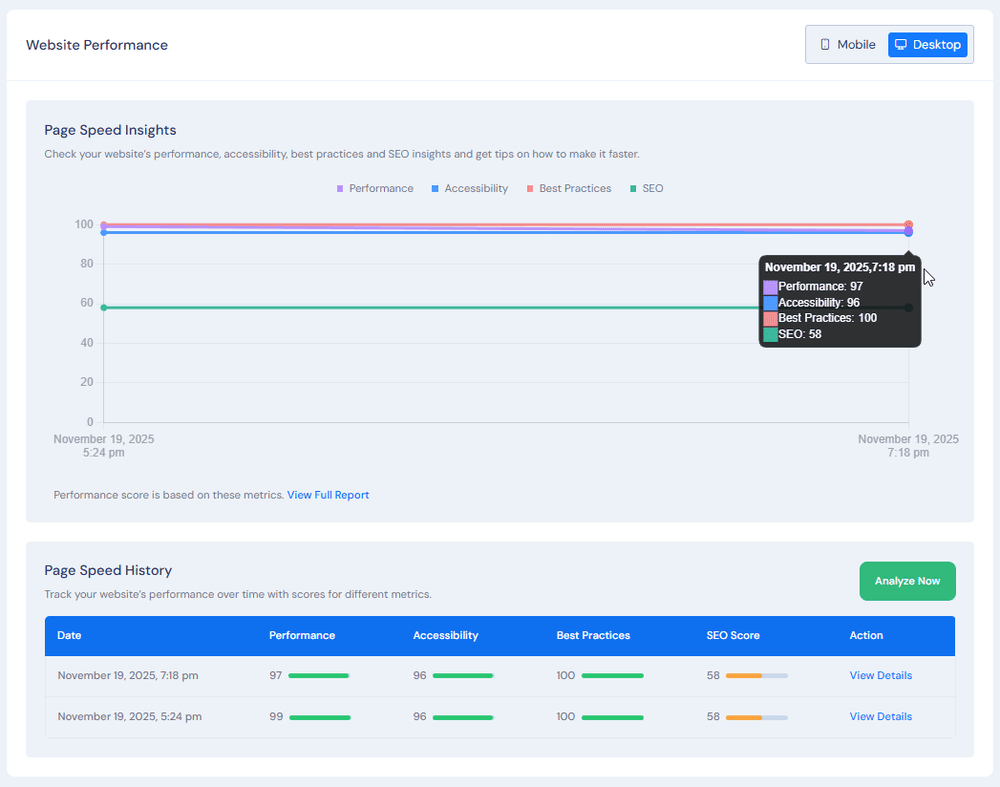
For those used to operating the WordPress backend, the learning curve for switching to xCloud is relatively flat.
A Complete Product Line from Self-Managed VPS to White-Label Hosting
xCloud offers two main usage routes:
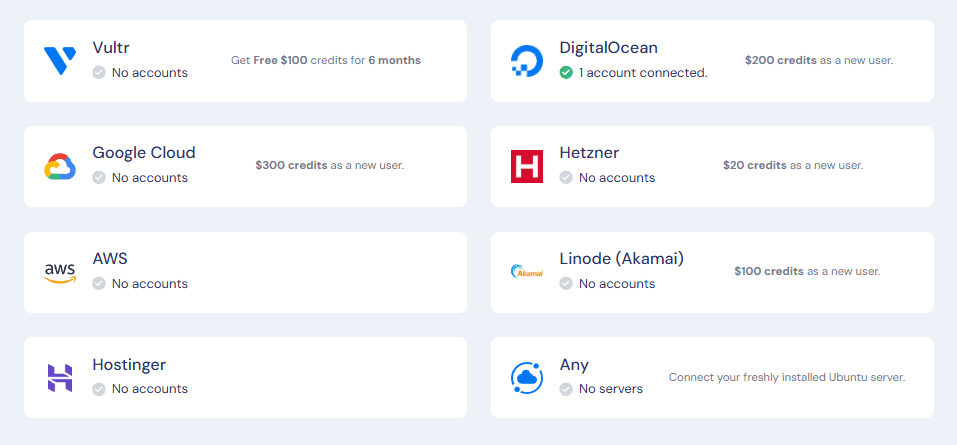
- Self Managed Hosting:
Rent a VPS from cloud providers like Vultr, DigitalOcean, or Hetzner yourself, then bind it to the xCloud control panel management. You can use the panel operations and cloud provider backend separately, or manage everything centrally through xCloud's integration features.
- Managed Hosting / xCloud Provider:
Directly purchase hosting plans provided by xCloud. These servers come from a deep partnership with Vultr, providing thelatestBasic or HF series servers, saving you the time of account creation, firewall configuration, and basic performance tuning.
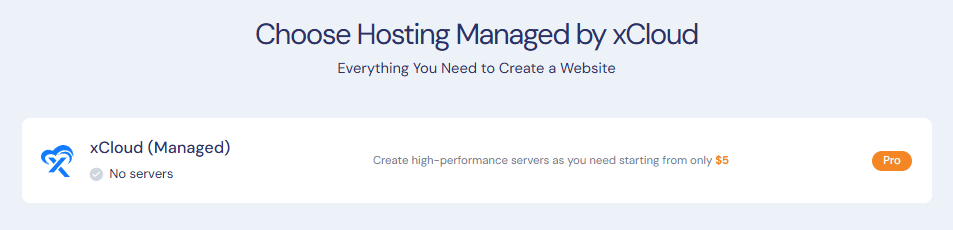

WPManageNinja's Community (membership, dynamic) site with over 10,000 members runs on xCloud Managed hosting, and page loading and tab switching speeds are extremely fast!
With the White Label / Reseller feature, users can treat xCloud as their own hosting platform: place your own logo, brand, and plan names on the frontend, while xCloud provides the control panel and technical capabilities in the backend.
Hands-on Experience: 9 Feature Highlights That Impressed Me
Blueprints: Turning Common Templates into "One-Click Replica Sites"
Although traditional control panels have features like "Clone Site," xCloud's Blueprints takes it a step further.
You can first build a standard site (with common themes, plugins, and basic settings installed) and save it as a Blueprint. When adding a new site, just select this Blueprint to create the entire stack at once.
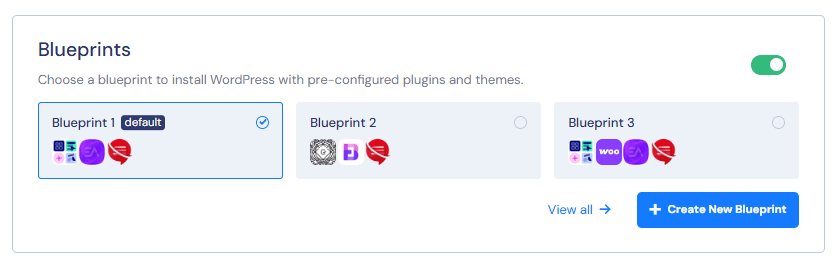
Common practices include:
- Create a "Corporate Website Blueprint" for building corporate image sites for clients
- Create a "Landing Page Blueprint" for frequently making one-page sales sites
Blueprints can contain not only themes and plugins from the WordPress.org directory but also Pro version plugins and themes. Combined with CLI commands, you can also automatically execute specific settings or tuning instructions after deployment.
For freelancers and Agencies, this can save a significant amount of repetitive deployment time.
Deep Integration with Cache Plugins
Many control panels claim to support cache plugins, but in reality, they often just install the plugin for you, leaving the server-side configuration for you to handle yourself.
xCloud first understands how various cache plugins operate, then adjusts the server-layer settings to match.
For example, when used with WP Rocket, it can automatically apply corresponding cache rules for Nginx, similar to the integration effect of Rocket-Nginx, reducing the time users spend reading documentation and manually configuring settings.
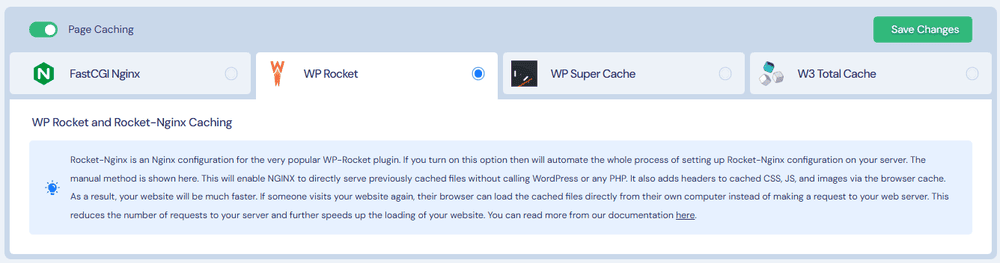
For those who want to balance performance and ease of use, this design is professional and thoughtful.
Centralized Updates Management: Manage All Sites in the Dashboard
xCloud's Updates Manager allows you to see the update status of all sites on a single screen, eliminating the need to log in to the WordPress backend one by one.
In the control panel:
- View the plugin / theme / core version update status for each site
- Search by plugin name to pick out sites using the same plugin and update them together
- View update history, making it easier to trace back if problems occur
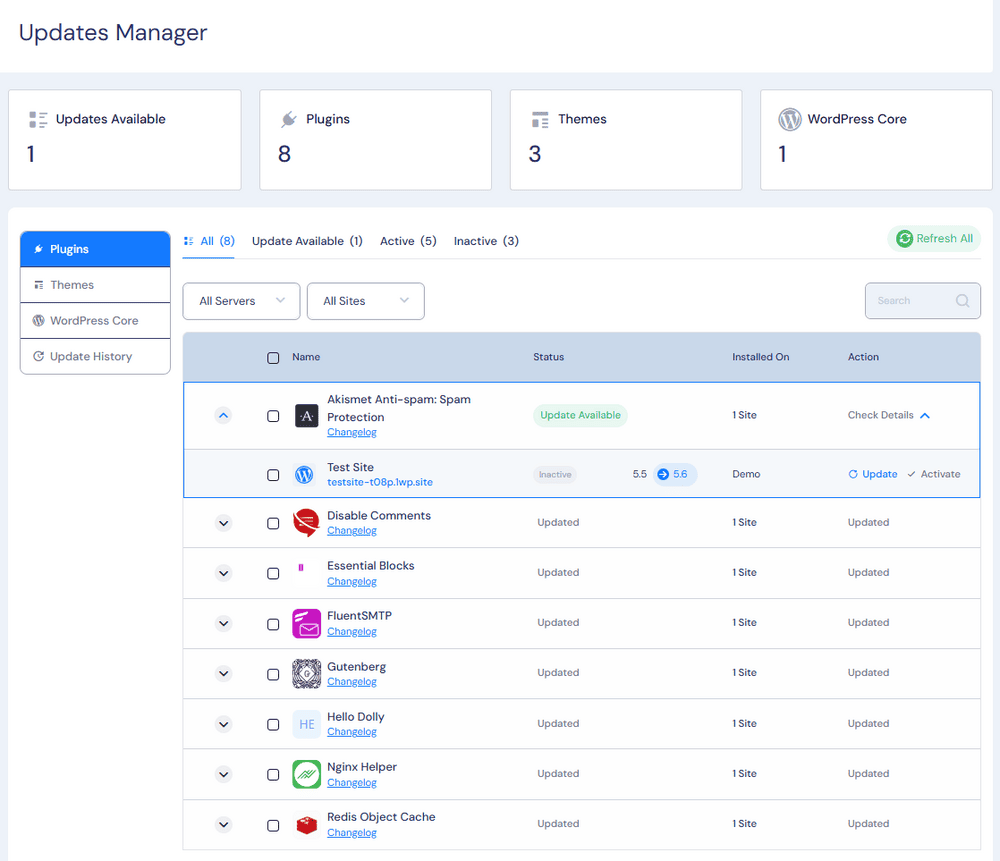
For users managing multiple sites, this is safer than "turning on all automatic updates" and allows for batch updates combined with backup strategies.
Security Scan and Vulnerability Management: Integration with Wordfence
xCloud's Vulnerability Checker connects with the Wordfence threat database to check all sites for known vulnerabilities in WordPress Core, themes, and plugin versions.
In the same interface, you can see:
- The CVSS score and risk level for each vulnerability
- The recommended version to update to
- Perform "Update" or temporarily "Ignore" directly from this screen
Combined with scheduled backups and moderate automatic updates, "security maintenance" can become a routine task rather than patching holes after an incident.
Incremental Backups and Integration with Multiple Remote Storage Services
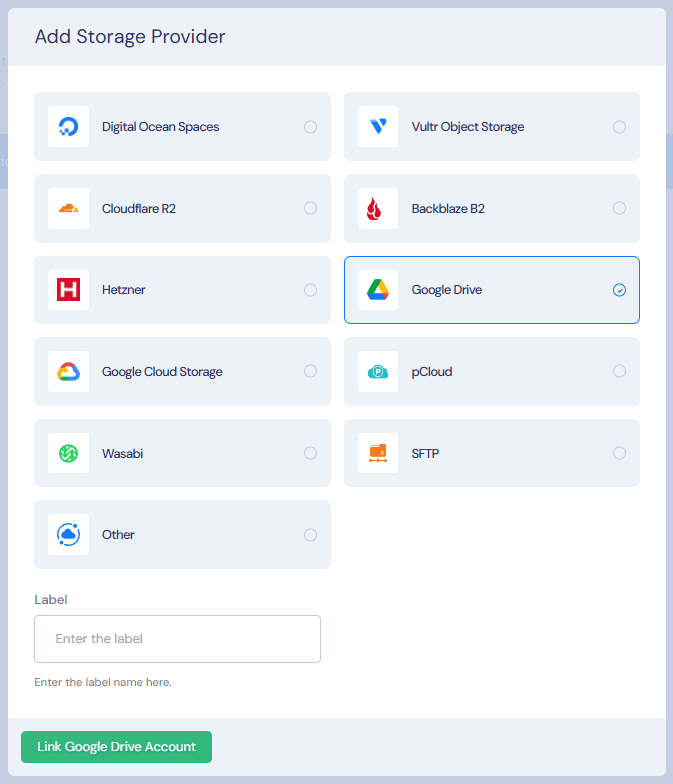
xCloud supports multiple remote backup destinations, such as:
- Google Drive
- Various S3-compatible storage (including Backblaze, Cloudflare R2)
- pCloud, etc.
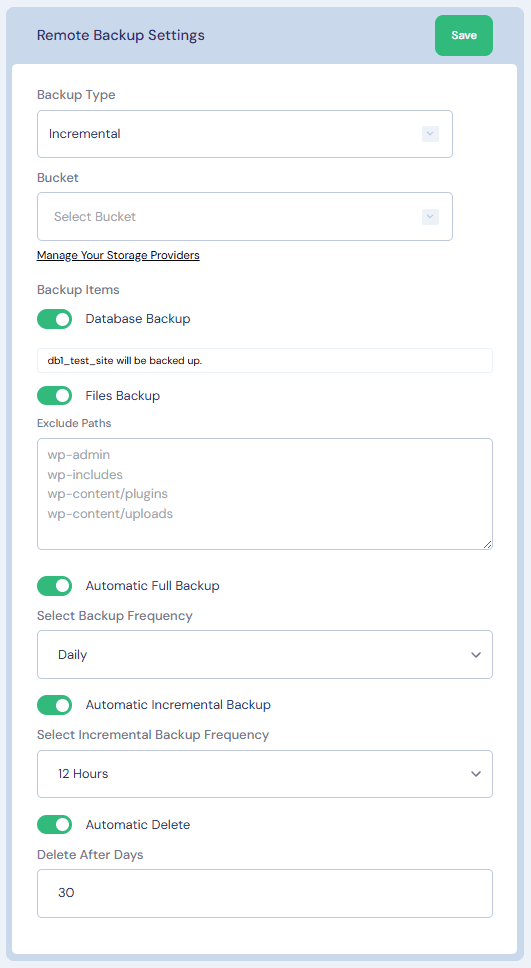
It also provides Incremental Backup.
A full backup is performed the first time, and subsequently, only changed files are backed up. Combined with retention days and backup strategies, this achieves a better balance between security and cost.
If you are already planning your own backup architecture, this feature of xCloud will feel very intuitive to use.
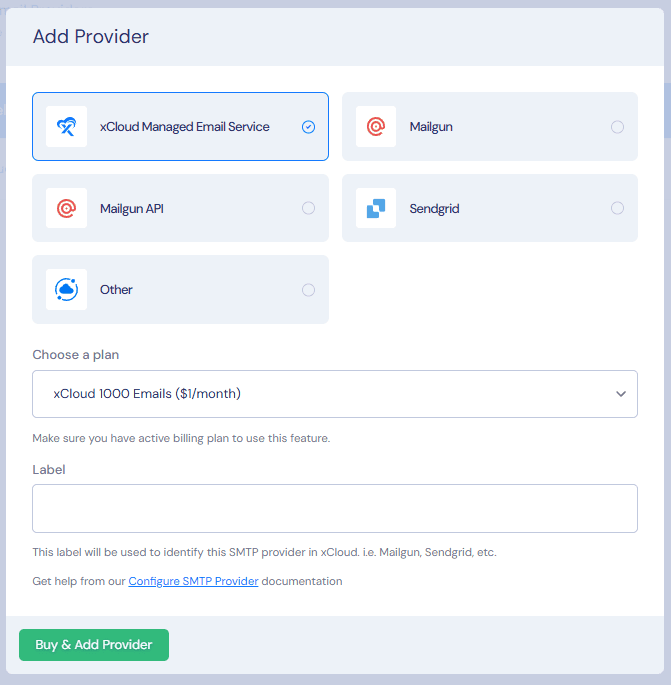
Complete Email Provider Integration and Managed Email Services
xCloud's design philosophy is to handle website hosting and email services separately.
The panel includes integration setup workflows for SMTP providers like Mailgun, SendGrid, and Elastic Email, while the website side can be paired with FluentSMTP or other SMTP plugins for sending emails.
In addition,
- xCloud Managed Email: Each team has a basic free quota (100 emails per month), and additional quota can be purchased if needed
- MailBox Addon: Create complete business mailboxes (IMAP / SMTP), supporting auto-replies, forwarding, and aliases
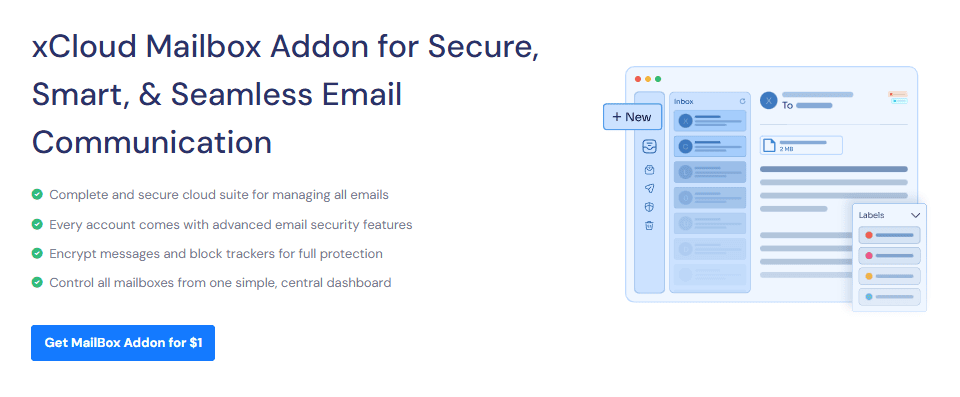
For those maintaining multiple websites and domains simultaneously, the email system can also be managed centrally.
Support for ARM Servers: A New Option for Saving Cloud Costs
In the past two years, many cloud providers (like AWS and GCP) have launched ARM architecture servers. At a similar price point, they often offer better performance/cost ratios. xCloud also added ARM Server support between 2024 and 2025, allowing you to directly create ARM servers within the panel.
ARM still requires assessing the compatibility of PHP extensions and some applications. If you are willing to spend time testing, it is an option with the potential to save costs for long-term, large-scale server architectures.
Localized Dashboard: Supports 17 Languages
xCloud supports multiple languages. Users can adjust the control panel language in their personal settings and also set the notification language so that notifications via Email, Slack, WhatsApp, and Telegram are consistent.
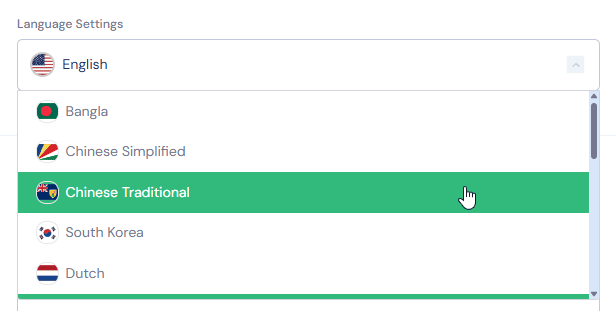
It will be much smoother when teaching colleagues or clients to use the console with your mother tongue.
One-Click Deployment for Cloud Apps like n8n and Uptime Kuma
In addition to managing WordPress, xCloud also offers various One Click Apps, such as:
- n8n (automation / no-code workflow)
- Uptime Kuma (website and service monitoring)
- Nextcloud, Mautic, phpMyAdmin, Self-Hosted LLMs, etc.
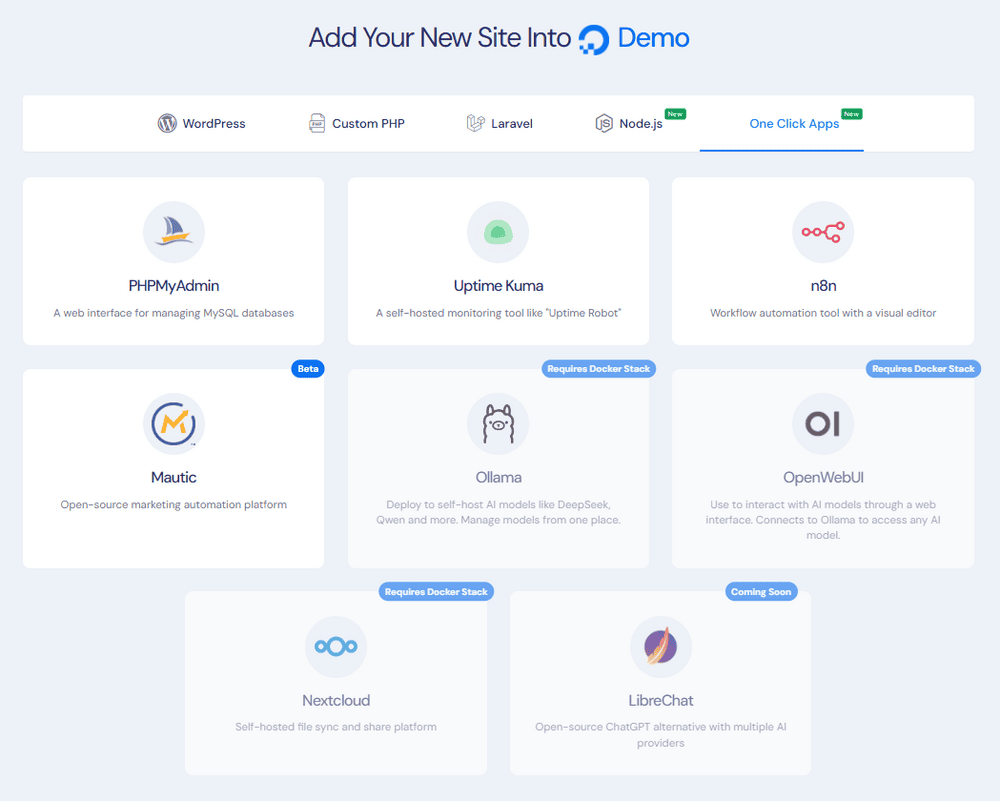
If you usually use n8n for automation or Uptime Kuma for service monitoring, these tools can be deployed and managed directly within the same panel.
Standard Pricing and Value: Why is xCloud's Entry Barrier Low?
Before discussing the Lifetime Deal, looking at xCloud's standard pricing gives a better perspective.
Taking the Self Managed STARTER plan as an example: as long as you use the self-managed Server mode (renting a host from a cloud provider yourself and binding it to xCloud), the panel management fee is approximately: $5 USD per server per month. There is no hard limit on how many WordPress sites you can host on a single server.
Official staff once shared a real-life case:
A user rented a massive specification server and hosted hundreds of WordPress sites on that single machine. Since xCloud charges based on the number of servers, the panel fee was still calculated as one STARTER slot, costing about $5 USD per month.
From the perspective of the "licensing and pricing model," this example illustrates one thing: as long as the hardware can support it, a single server can host a significant number of sites, making the Panel cost almost negligible.
However, xCloud officials also reminded this user that such a practice carries high risks from a professional operations standpoint. With all websites and clients tied to a single server, a hardware failure or system issue would affect hundreds of sites simultaneously, placing immense pressure on redundancy and recovery time.
My interpretation of this is:
- xCloud's charging method offers great flexibility and brings obvious cost advantages.
- A more reasonable approach is to use this advantage to distribute websites across multiple servers, allocating resources for different clients or projects to reduce concentration risk, rather than blindly pursuing "stuffing as many as possible into one."
In other words, even without buying the Lifetime Deal, strictly using xCloud's standard monthly plan offers extremely high value for users, freelancers, or small agencies maintaining multiple WordPress sites.
Analysis of the xCloud Lifetime Deal (LTD) Plan
LTD Plan Content and Benefits
The Lifetime Deal currently reopened by xCloud during the Black Friday season can be roughly understood as:
Paying the equivalent of 2-3 years of fees upfront to obtain "lifetime access to the xCloud control panel." Within the scope of the license, you can continue managing servers and websites without paying annual or monthly fees for the Panel itself.
Key benefits include:
- Lifetime access to the control panel
- Ability to bind multiple self-owned servers (each plan has a corresponding limit)
- Access to 130+ features and integrations as officially stated
- Free site migration services, free SSL, and other value-added services
Details are subject to the official plan page, but the overall concept is to switch the originally recurring Panel costs into a one-time expense.
Exclusive Hosting Discounts for LTD Users
LTD users also get exclusive xCloud Provider pricing. Cloud servers provided by xCloud (sourced from Vultr) have a slightly lower monthly fee than renting directly from the Vultr official website, approximately 10% off the official price.
If you don't want to maintain a separate Vultr account or prefer to centralize technical management within xCloud, this discount can slightly lower overall hosting costs.
Built-in Reseller Feature: From Building Sites to Hosting Business
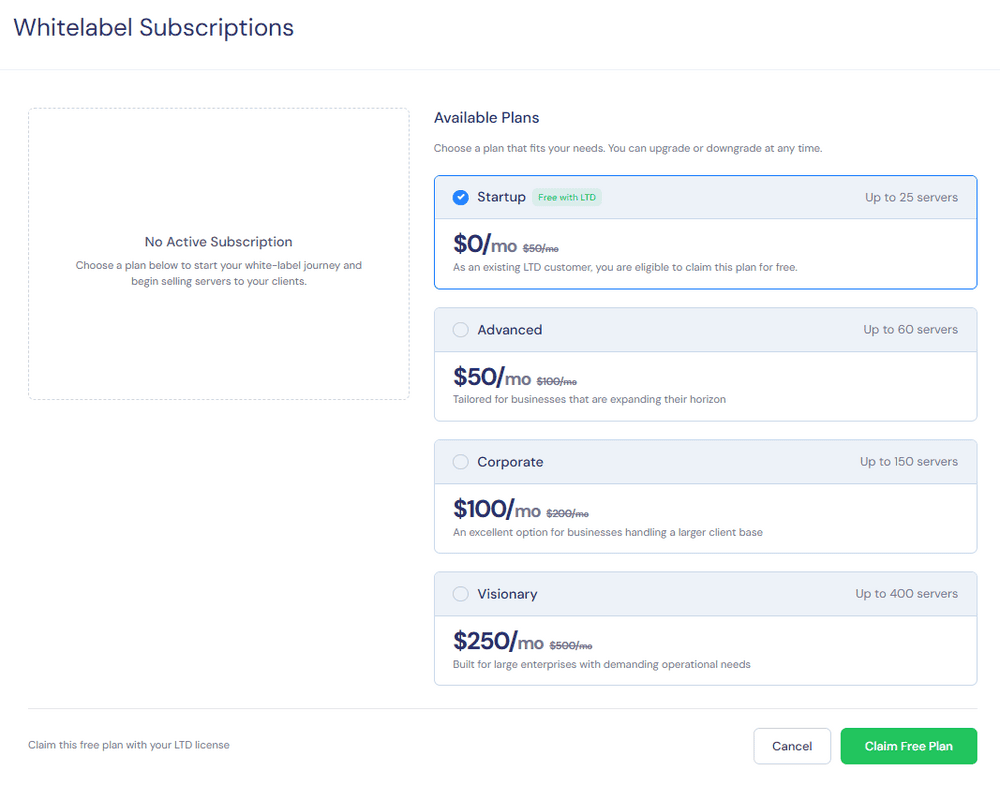
The LTD plan allows enabling the corresponding Reseller / White Label features, which is essentially a white-label hosting system. Inside, you can:
- Design hosting plans (limiting the number of sites, traffic, specifications, etc.)
- Use your own brand, logo, and domain for the frontend
- Let clients manage websites through your interface, while xCloud provides technical capabilities in the backend
If you are already selling "Website Design + Setup + Maintenance" all-in-one packages, this feature makes the "Hosting" part more distinct and the pricing structure easier to design.
Looking back from here, xCloud's standard pricing is already very friendly. The LTD offers an option to "buy out Panel costs once" specifically for users planning for multiple servers and multiple clients.
Who is it for?
Solo Webmasters and Advanced Bloggers
If you:
- Have 3~10+ websites (side projects or niche sites) on hand
- Are considering moving from shared hosting to self-managed VPS
- Want to play with advanced features like Cloudflare / WAF but don't want to check Linux commands every day
Then using xCloud's standard plan first would be safer. You can start with a small specification server paired with the STARTER plan, move a few non-critical sites there, observe for a while, and then decide whether to invest in the Lifetime Deal.
Freelancers and Small WordPress Agencies
If you already have stable projects or even manage websites for clients, xCloud's overall features become very attractive:
- Blueprints allow common website types to be standardized, shortening deployment time
- Updates Manager + Vulnerability Checker + Incremental Backup can directly become the core workflow of your "Website Maintenance Plan"
- Reseller / White Label features allow hosting services to form a stable subscription revenue
In this context, the Lifetime Deal is more like:
Making a one-time investment in control panel costs for the next few years, rather than just a discount event.
Agencies with Multiple Projects and Automation Needs
For Agencies, the priority is usually maintainability and automation capabilities. xCloud offers:
- Centralized monitoring and update workflows, convenient for aligning with your own SOPs
- API / CLI paired with tools like n8n for automated deployments or routine checks
- Can fit into existing Cloudflare, WAF, and CDN architectures, using the panel as a high-level management tool
If you were already looking at services like Cloudways or RunCloud, xCloud's distinctiveness leans towards "deep integration with the WordPress ecosystem," making it suitable for teams focused on WordPress with a higher volume of projects.
If You Plan to Buy: Some Practical Assessment Advice
Test the Whole Process with a Small Server First
Even for the Lifetime Deal, following these steps to assess it will be more reassuring:
- First, launch a test Server with the lowest specifications (either self-managed or xCloud Provider)
- Move one or two non-critical sites onto it
- Actually test cache integration, backup/restore, update workflows, and security scans
Once you confirm that the overall experience matches your daily maintenance habits, consider migrating other websites in batches. xCloud itself provides free migration services, or you can use your own backup tools.
Establish Your Own Blueprints and Backup Strategies First
Whether xCloud can truly save you time depends on whether you have organized a standard process that suits you, for example:
- Create at least 1~2 Blueprints (corporate sites, one-page sales site, etc.)
- Plan regular incremental backups and remote storage strategies
- Incorporate Updates Manager and Vulnerability Checker into weekly or monthly routine checks
When these processes run smoothly, what the Lifetime Deal buys you is not just a control panel, but a complete and relatively mature maintenance architecture.
Conclusion
Based on currently released information, xCloud already offers a significant number of WordPress-related integrations and features, officially stated as over 130 items. Combined with tools like Blueprints, cache tuning, security scans, backups, and One Click Apps, it can already compete directly with mainstream panels or hosting services.
- If you only manage one or two small sites and have absolutely no intention of touching a VPS, there is certainly no need to switch to xCloud. You can slowly observe other options in the market.
- If you plan to operate multiple WordPress sites in the medium to long term, or handle freelance/hosting business, xCloud's standard pricing is worth considering on its own. Assuming you are sure to take the multi-server, multi-client route, the Lifetime Deal is an option to lock in Panel costs for the next few years in advance.
After this wave of the Lifetime Deal ends, it is hard to predict the official future plans regarding if it will reopen or how pricing might adjust, given that this is only the second reopening since the early bird launch.
If you have assessed your own architecture and budget and confirmed that you will use this type of tool long-term, now is indeed a time to seriously consider jumping in.
xCloud Cloud Control Panel
☆BFCM LTD Plan☆
Additional 10% Server Discount for LTD Users